What happens in the half second between hitting Enter and seeing the page
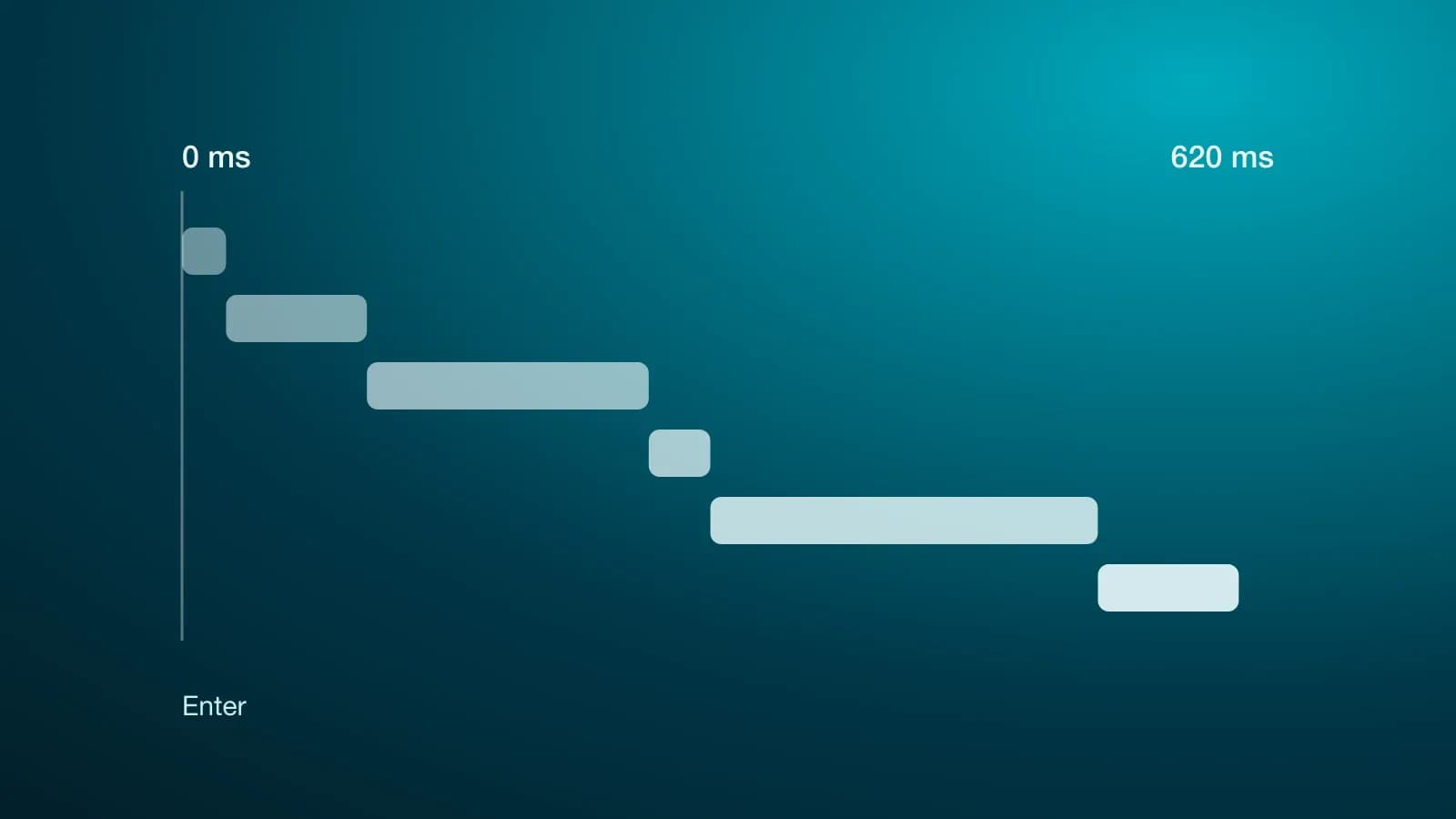
You type an address, hit Enter and half a second later you are reading. It looks like the page was already there and just had to be fetched. What really happens is six things in a row, each with its own delay, and most of them have nothing to do with the site you are visiting.
Here is the trip. You do not need to write code to follow it, and if you do write code it may help you know where to look next time something is slow.
One: where is that address?
A web address is a name. The network does not understand names, it understands numbers, something like 172.67.150.20. Turning the name into the number is the job of DNS, which works like the yellow pages: you ask for a name and get back a number.
The trick is that the answer gets saved. Your computer remembers it for a while, so does your router, and so does your internet provider. That is why the first visit of the day costs 20 or 30 milliseconds and the rest come free.
Two: introductions, and sealing the envelope
With the number in hand, your browser calls that machine. Before asking for anything there are two steps.
The first is a three message greeting to confirm both sides are there and can hear each other. The second sets up encryption, the padlock you see in the address bar: the server shows a certificate, roughly an ID card signed by somebody your browser already trusts, and the two agree on a key so nobody along the way can read the conversation.
Each of those steps is a round trip. If the server is far away, every trip is expensive. We get to how expensive at the end.
Three: the part that does depend on whoever built the site
Here the server builds the answer: it checks who you are, queries the database, puts the text and images together. It is the only stretch of the trip that really depends on how the site was built.
And it is rarely half of the total. It is also the stretch that blows up when the server is busy, even when the dashboard says there is CPU to spare: I wrote separately about why that happens.
Four and five: downloading the page, then everything else
What arrives first is the HTML, the text and the structure with no decoration. It is small and travels fast.
The catch is that the HTML says "I also need these styles, this code and these images". That starts another round of downloads, often against other servers: the font, the analytics script, the support chat, the ad pixel. Every new guest brings its own DNS, its own greeting and its own encryption.
This is the part nobody watches and the one that grows the most over time.
Six: drawing
With everything in hand, the browser works out where each piece goes and paints it. If the text jumps or a button moves just as you were about to press it, something arrived late and the page had to be laid out again.
Added up, an ordinary load looks like this:

Put another way: even if the server answered instantly, the page would not show up before a certain point. Some stretches belong to nobody on the team that built the site.
Why the second visit is instant
Almost none of the above repeats if the site is set up well, because the answer gets stored in several places at once.

Your browser keeps the images and the styles. And before reaching the server there is a network of copies spread around the world, a CDN, holding the page in a city near you. Most visits get answered there and never touch the database.
When somebody says "we need to purge the cache", this is exactly what they mean: old copies are sitting along the way and somebody has to tell them.
The limit nobody can optimise
One part depends on nobody. Information travels through fibre at around 200,000 kilometres per second, two thirds of the speed of light.

Going from Bogotá to a server in Frankfurt and back is 90 milliseconds in the best case, and in practice it usually measures double, because the cable does not run in a straight line and there is equipment along the way. No programming trick fixes that. That is why CDNs exist: the only way to cut distance is to put a copy closer.
A fast site is rarely fast because of big machines. It is fast because it asks for less, and keeps it closer.
What to take from all this
- When a page is slow it is not always "the server". It can be DNS, distance, or the thirty guests the page brings along.
- Every third party script you add has a cost, and every visitor pays it, not just you.
- The first visit and the second have nothing in common. When somebody shows you a measurement, ask which one it is.
- Before buying more server, count how many things the page is asking for. Removing usually beats upgrading.
Next time a page takes a while, you know there are six stretches to look at. It is almost always just one of them, and almost never the one you would guess.